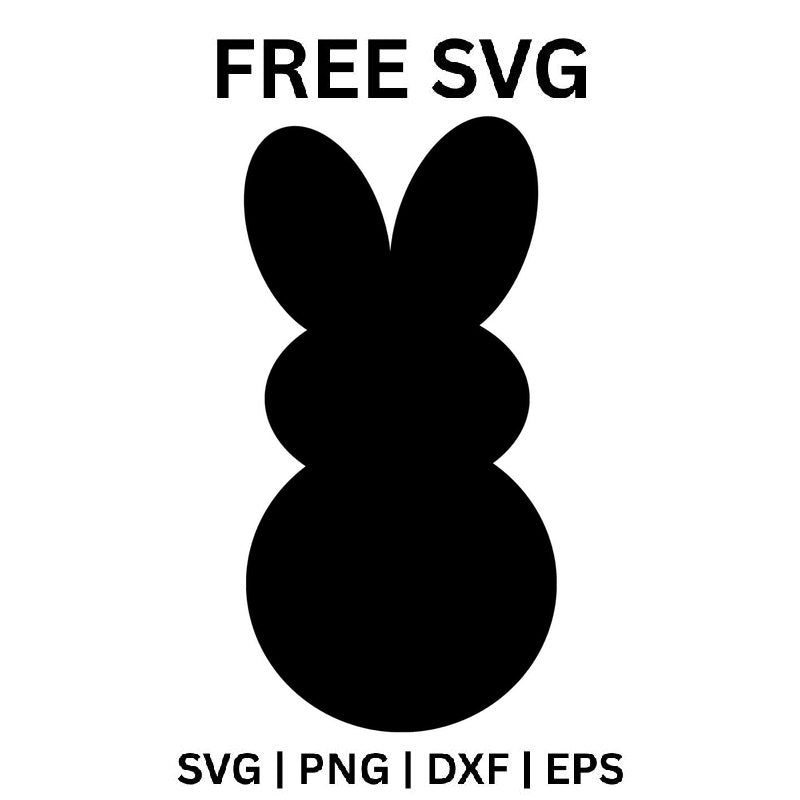

Alert Bunny SVG Free – Perked Ears Rabbit Silhouette Cut File
Alert Bunny SVG Free – Perked Ears Rabbit Silhouette Cut File
An alert bunny with perked-up ears and a clean silhouette, ideal for vinyl decals, wall art, and holiday decorations.
SVG files can be used with design software such as Cricut Design Space, Silhouette Designer Edition, Adobe Illustrator & Suite, Inkscape, Corel Draw, and more.
PNG files are available with a transparent background.
We have some awesome SVG designs available for you to use. Please note that these files are for personal use only and cannot be sold.
With our SVG cut files, you can create wonderful projects and handmade products such as t-shirts, masks, pillowcases, blankets, mugs, thermos, bags, invitation cards, vinyl designs, wall prints, party decorations, and much more. Be sure to check out our collection of free SVG designs today!
How To Use:
When you download our files, they will come in a .zip format. You can extract the files inside using any zip extraction program of your choice. Inside the file, you'll find files in both SVG and PNG formats.
To edit the downloaded files, the first step is to ungroup the SVG file. You can do this by clicking the "Ungroup" button in the toolbar on the right. This will divide the SVG into different layers, which you can then move around and easily change the color of.
We would love to hear your thoughts and feedback, so don't forget to leave a review below! Enjoy working with our designs!